Overview
Return tasks track the preparation and filing workflow for income tax returns for each tax year. These tasks are automatically created by TaxLab when an entity is added.
The first return task is created for the previous tax year. Tasks are then automatically created for future tax years as they become available for preparation.
You can use income tax return tasks to:
- Track progress on a tax return
- Assign tax returns to users in your organisation
- Add notes or files to a tax return
Income tax return tasks are visible to:
- Organisation administrators for all income tax return tasks for an organisation
- Users assigned as Partner, Manager, or Consultant to an entity
- Users who have been given general access to an entity
View return tasks
- From the TaxLab home screen, select Workflow > Returns
You will see:
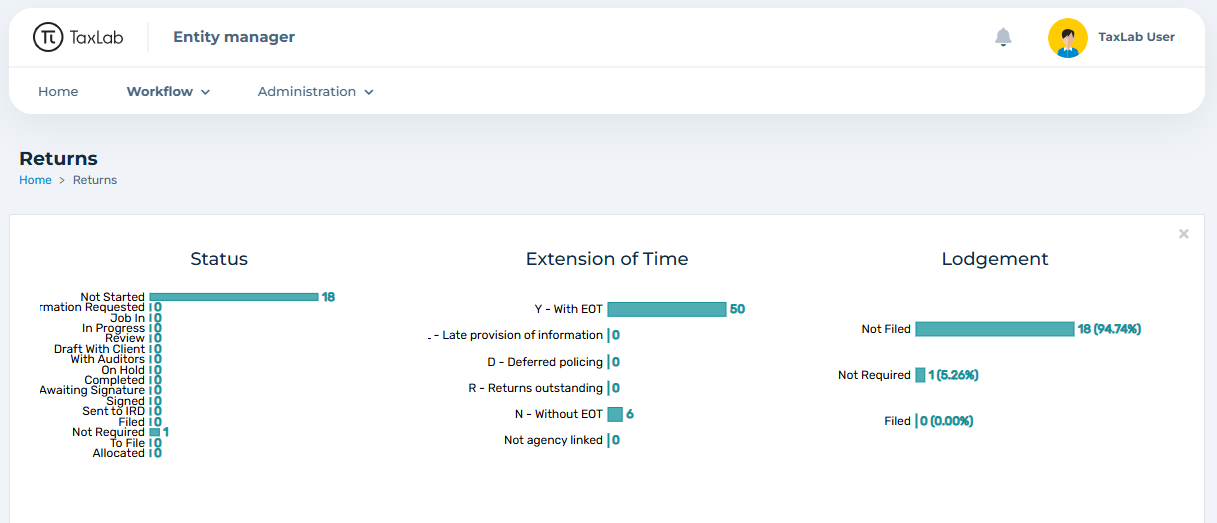
- Task statistics for the selected tax year
- A table of income tax return tasks for entities you have access to
Filter and sort tasks

You can filter and organise the task list using the following options:
- Use the status tabs or select All to filter by task status
- Use the year dropdown to switch tax years
- Select the refresh icon to update the task list
- Select Add filter to filter by fields such as Name or Status
- Select the settings cog to:
- Export the task list to Excel
- Show or hide charts
- Sort by any column using the sort arrows
Create historic return tasks
To create a return task for a historic tax year, an Income tax subscription must be added to the entity, and the historic tax year opened.
Update return tasks
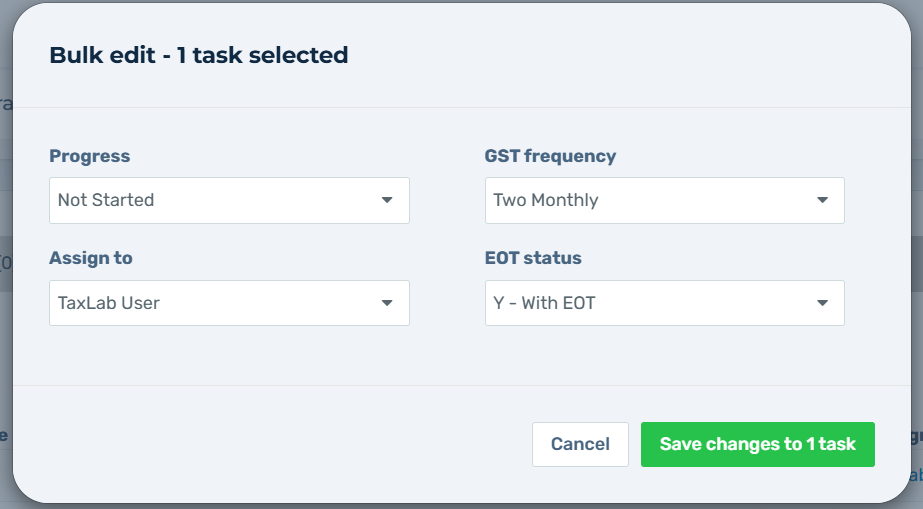
Return tasks can be updated in bulk or by individual tasks. The following information can be updated:
- Progress
- Assigned to
- GST frequency
- EOT status
Update return tasks in bulk
On the Return tasks screen:
- Select the checkbox next to each task you want to update.
- Select Edit.
- Update the required information.
- Select Save changes to XX tasks.
Update a single return task
On the Return tasks screen, select the return task you need to update on the table.
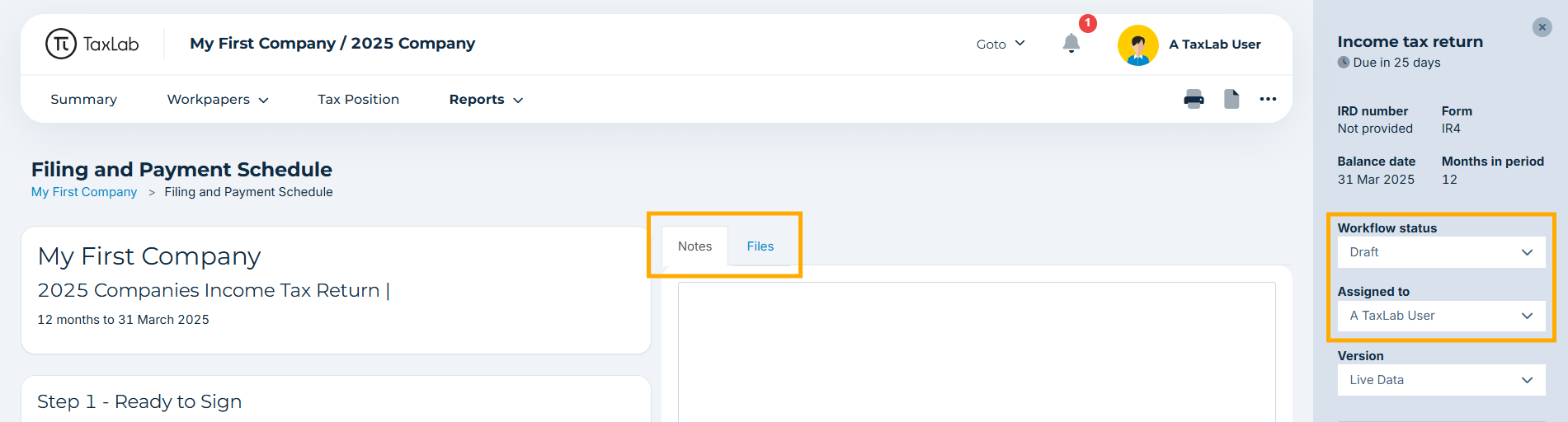
The Filing and Payment Schedule for the entity will open in a new tab.
From the sidebar, you can update:
- Workflow status (Progress)
- Assigned to
The dropdown shows all users who have access to the entity. To add another user in the organisation:
- In the Assigned to dropdown, select Add user.
- The user will receive full access to the entity
You can also add notes or attach files from this screen.
Task statuses
New income tax return tasks created with a status of Not Started.
There are various status options that can be used in each status type:
- Not started
- Draft - These statuses are used when completing the return. The tasks will also update automatically when going through the filing process in TaxLab.
- Not Required - These statuses can be used when the return for an entity is not required to be completed in TaxLab.
Income tax return tasks cannot be deleted. If a task is created in error, change its status to Not Required.
This change does not roll forward, so future tax years must be updated individually.
Non-active entities
If an entity is non-active, and no income tax return is required, the progress of an income tax return can be set to Non-Active. This is simply a visual indicator next to a task and does not make any other updates to the system. This needs to be completed each year. To stop payment tasks generating for these entities see set up payment tasks.
What's next?
Get an overview of the income tax return preparation screen.
Related articles
Was this article helpful?
That’s Great!
Thank you for your feedback
Sorry! We couldn't be helpful
Thank you for your feedback
Feedback sent
We appreciate your effort and will try to fix the article