This article is for users with administrator permissions and is intended to be used for the initial set up of an organisation.
Overview
In TaxLab, entities represent the clients or IRD numbers managed by an organisation. Add entities to an organisation by importing them through a tax integration, or by creating them directly in the software.
Entity types
TaxLab supports a range of entity types, including consolidated groups:
- Companies
- Individuals
- Non-resident insurers
- Trusts
- Partnerships
- Maori authorities
- Clubs and societies
- Look-through companies
- Consolidated tax groups
Add or import entities
There are three methods to add entities to an organisation.
- Retrieve clients from Inland Revenue (only available for organisations that are tax agents).
- Bulk import entities via Excel (for large organisations that are not a tax agent, and have a significant number of entities).
- Single entity creation (recommended for organisations that are not a tax agent).
Create a single entity
We recommend this approach if you have a smaller number of entities, and do not have access to the ‘retrieve taxpayers’ function.
- From the TaxLab home screen > select the Create Entity button.

- Select the relevant Country and Entity type.
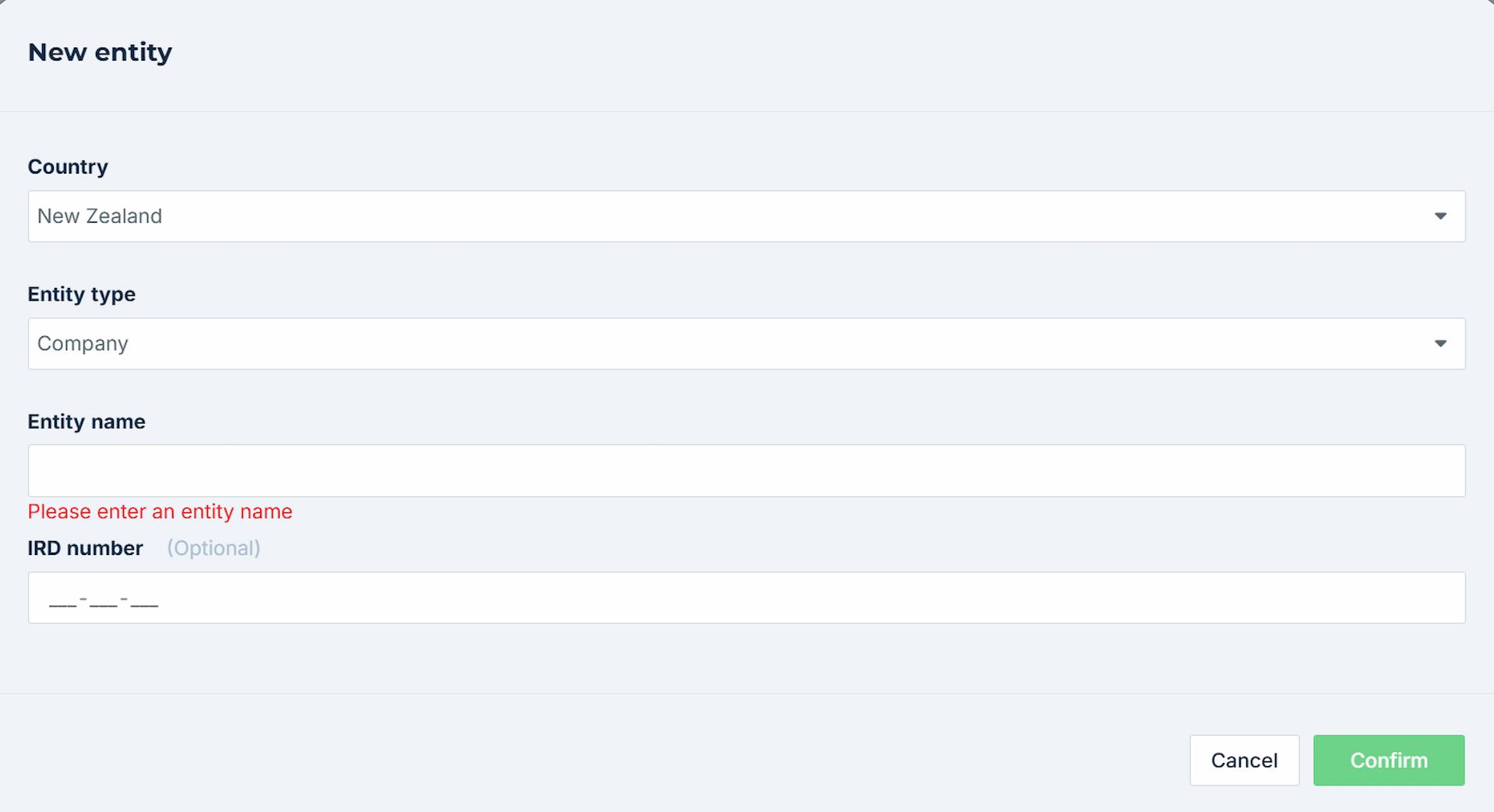
- Enter the entity's legal name which is the name to be used in the tax return.
- Enter the entity’s IRD number.
- Select Confirm.
The software will automatically populate additional entity information with defaults (such as the extension of time status, provisional tax method and GST frequency), and these will need to be checked. Learn more about editing entity details.
Connect entities to Inland Revenue
This section is only relevant for organisations that are filing income tax returns.
If you have added entities to your TaxLab organisation manually, these will need to be linked to your IR connection to enable e-filing and retrieve tax payment transactions (retrieve tax payment transactions is only available as a feature to organisations that are Tax Agents).
- From the TaxLab home screen, in the navigation bar select Administration > Integrations.
- Select the name of your IR integration.
- Select Add taxpayers (you will only see entities displayed that have been created and IRD numbers added to).
- Select the checkbox next to the entity(s) to add to the IR integration.
- Select Confirm.
Archive, restore or delete an entity
When you archive an entity, it will display in your list of archived entities, where you can open it and view its details, and restore it if required. When you delete an entity, it is removed from the system, permanently.
Archive or delete an entity
- From the TaxLab home screen, select the name of the entity.
- From the Details tab, select the Edit button.
- From the Settings window, select one of these options:
- Select the Archive button to archive an entity
- Select the arrow next to the Archive button, then select Delete to delete an entity
Restore an archived entity
- From the TaxLab home screen, on the left hand navigation panel, select Archived under the STATUS heading.
- Select the name of the entity.
- From the Details tab, select the Edit button.
- Select the Restore button.
What’s next?
Now you can begin adding users to your organisation and allocating access to entities.
Related articles
Add or edit an entity's details
Set up an Inland Revenue integration
Was this article helpful?
That’s Great!
Thank you for your feedback
Sorry! We couldn't be helpful
Thank you for your feedback
Feedback sent
We appreciate your effort and will try to fix the article